Jailbreaking with PwnageTool
Please note to use PwnageTool you need a Mac/MacBook running MacOS Mavericks or earlier.
Downloads
- The version of PwnageTool for your platform.
- If you are using an iPhone 2G, iPod Touch 1/2, or trying to jailbreak iPhone OS 2, get PwnageTool 3.1.5.
Using PwnageTool
The PwnageTool Menu
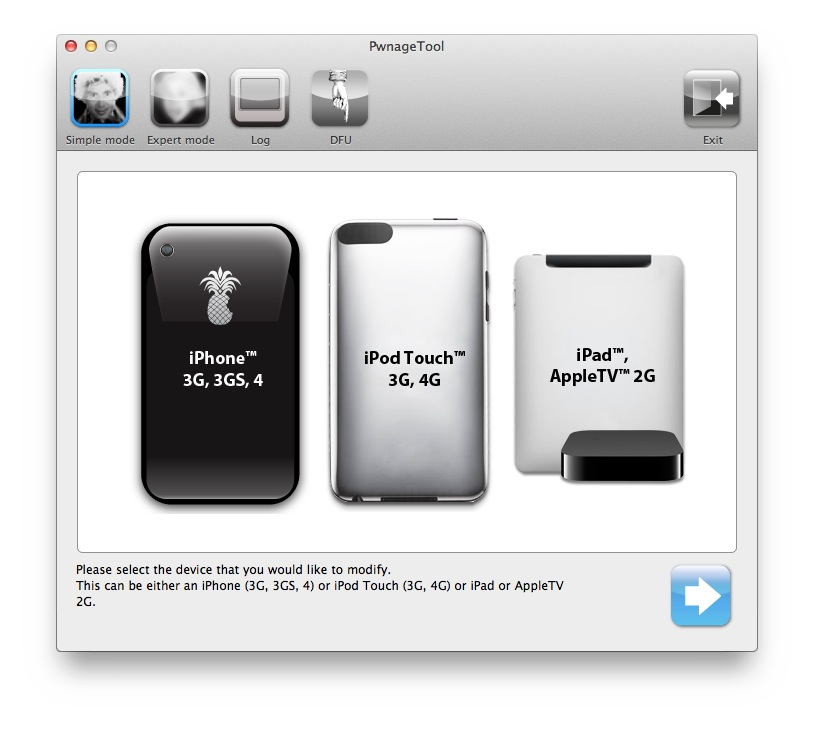
- Extract the zip anywhere. Just make sure you can find it!
- Open PwnageTool.
- Plug in your device.
- Download the corresponding IPSW for your device from ipsw.me or AppleDB.
- For example, if you have an iPhone 2G running iPhoneOS 2.0, the IPSW should be called something like "iPhone1,1_2.0_5A347_Restore.ipsw".
- When the program asks, put he IPSW from ipsw.me or AppleDB into the program.
- Select General, then continue.
- Do NOT adjust the root partition size.
- Continue until you reach Cydia Settings.
- Select OpenSSL and OpenSSH.
- Keep going, and make sure Cydia Installer is checked.
- Uncheck Icy and move on.
- Select "Build" and continue.
- Choose where you want the jailbroken IPSW to be.
- Let it build the jailbroken IPSW.
- PwnageTool will then ask if the iDevice has been jailbroken before, select the answer that applies to you.
- Follow the instructions that PwnageTool gives you to put the iDevice in DFU mode.
- Restore the jailbroken IPSW in iTunes.
Once it boots to the Home Screen, you should see Cydia. You can use Cydia to install tweaks, themes, and more.
If the Cydia homepage gives you an "Unable to Load" error, go to Patching Cydia on old devices.
Move on to: Patching Cydia on old devices
Patching Cydia on old devices
 Apple JB